> ## Documentation Index
> Fetch the complete documentation index at: https://docs.luklak.com/llms.txt
> Use this file to discover all available pages before exploring further.
# Daily Operations: An Overview of the Work Environment
> Discover the three work environments in Luklak—Organizational Structure, Workspaces, and Personal Home—that provide tailored views for every role.
## From Blueprint to Reality
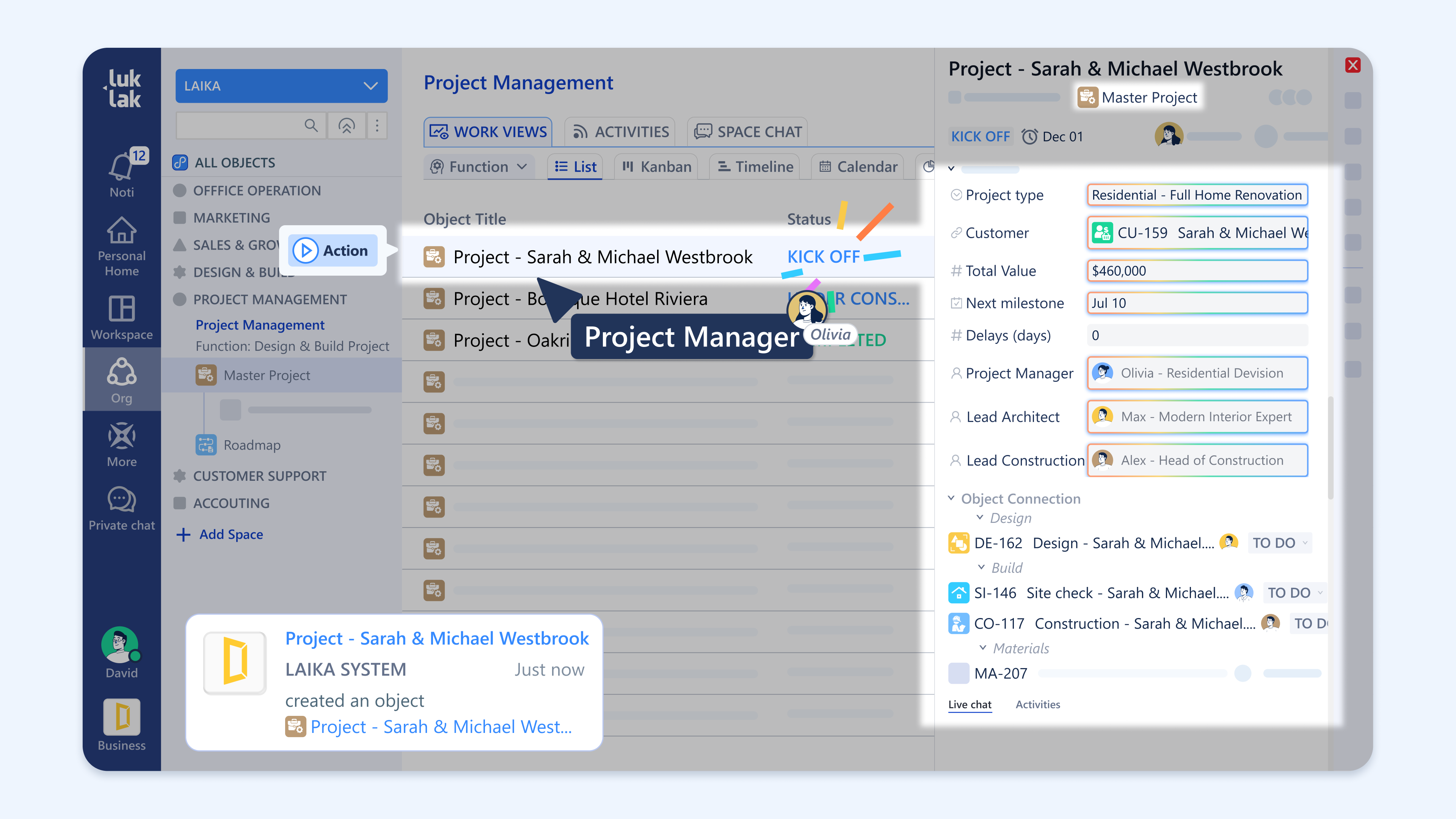 In the previous sections, we focused on the architectural and design layers of Luklak. Tier 3 is where those carefully constructed `📋 Function` blueprints become living, breathing workspaces where your team gets work done every day.
A perfectly designed system is only valuable if it's easy and intuitive for your team to use. To achieve this, Luklak provides three distinct work environments, each offering a unique perspective tailored to a specific need—from a high-level company overview to an individual's daily to-do list.
## Three Environments, Three Perspectives
Understanding these three environments is the key to navigating Luklak effectively.
This is the official, company-wide map of all `📂 Areas` and the `⏹️ Spaces` within them. It provides a formal, hierarchical view of how the entire business is structured and is the single source of truth for where every process lives.
This is a flexible command center designed for managers. A Workspace is a **private, customizable view** that allows you to pull together different `⏹️ Spaces`, reports, and filters from across the organization for convenient cross-functional monitoring.
This is every user's personal "to-do" list. It **automatically aggregates** all assigned `🧊 Objects`, @mentions, and important updates from every `Space` into one centralized place. It's designed to answer one simple question: "What do *I* need to do today?"
Think of the environments as different zoom levels: The **Organizational Structure** is the entire city map, a **Workspace** is your custom travel itinerary for visiting key locations, and your **Personal Home** is your personal GPS showing "You are here" and your next turn.
## What's Next?
Now that you understand the different ways to view your work, you can explore the specific guides for each aspect of daily operations.
* [**Structure your teams → Organizing Work with Areas & Spaces**](/en/02-platform/use-and-operate/organize-work)
* [**Master your to-do list → A Guide to Your Personal Home**](/en/02-platform/use-and-operate/personal-home)
* [**Manage daily tasks → Managing Objects: The Heart of Daily Work**](/en/02-platform/use-and-operate/working-with-objects)
* [**Communicate effectively → Effective Team Collaboration**](/en/02-platform/use-and-operate/collaboration)
* [**Find what you need → Finding Information with Search & Filters**](/en/02-platform/use-and-operate/search-and-filter)
* [**Track performance → Gaining Insights with Reports & Dashboards**](/en/02-platform/use-and-operate/reports-and-dashboards)
In the previous sections, we focused on the architectural and design layers of Luklak. Tier 3 is where those carefully constructed `📋 Function` blueprints become living, breathing workspaces where your team gets work done every day.
A perfectly designed system is only valuable if it's easy and intuitive for your team to use. To achieve this, Luklak provides three distinct work environments, each offering a unique perspective tailored to a specific need—from a high-level company overview to an individual's daily to-do list.
## Three Environments, Three Perspectives
Understanding these three environments is the key to navigating Luklak effectively.
This is the official, company-wide map of all `📂 Areas` and the `⏹️ Spaces` within them. It provides a formal, hierarchical view of how the entire business is structured and is the single source of truth for where every process lives.
This is a flexible command center designed for managers. A Workspace is a **private, customizable view** that allows you to pull together different `⏹️ Spaces`, reports, and filters from across the organization for convenient cross-functional monitoring.
This is every user's personal "to-do" list. It **automatically aggregates** all assigned `🧊 Objects`, @mentions, and important updates from every `Space` into one centralized place. It's designed to answer one simple question: "What do *I* need to do today?"
Think of the environments as different zoom levels: The **Organizational Structure** is the entire city map, a **Workspace** is your custom travel itinerary for visiting key locations, and your **Personal Home** is your personal GPS showing "You are here" and your next turn.
## What's Next?
Now that you understand the different ways to view your work, you can explore the specific guides for each aspect of daily operations.
* [**Structure your teams → Organizing Work with Areas & Spaces**](/en/02-platform/use-and-operate/organize-work)
* [**Master your to-do list → A Guide to Your Personal Home**](/en/02-platform/use-and-operate/personal-home)
* [**Manage daily tasks → Managing Objects: The Heart of Daily Work**](/en/02-platform/use-and-operate/working-with-objects)
* [**Communicate effectively → Effective Team Collaboration**](/en/02-platform/use-and-operate/collaboration)
* [**Find what you need → Finding Information with Search & Filters**](/en/02-platform/use-and-operate/search-and-filter)
* [**Track performance → Gaining Insights with Reports & Dashboards**](/en/02-platform/use-and-operate/reports-and-dashboards)