> ## Documentation Index
> Fetch the complete documentation index at: https://docs.luklak.com/llms.txt
> Use this file to discover all available pages before exploring further.
# Global Connections: Standardizing Relationship Meanings
> An enterprise-focused guide on using Global Connections to define reusable, meaningful relationship types (e.g., 'duplicates', 'is blocked by') for system-wide consistency.
## Beyond Simple References
An `Object Picker` field is excellent for creating a simple reference—it says, "this `🧊 Object` is related to that one." But what if you need to define the **nature** of that relationship?
* Is this `🧊 Bug` a **duplicate of** that one?
* Is this `🧊 Task` **blocked by** that `🧊 Dependency`?
* Is this `🧊 Risk` **mitigated by** that `🧊 Control Measure`?
Without a standard way to define these relationships, their meaning is lost, and you cannot build advanced logic or reports based on them.
## The Solution: A Global Library of Relationship Types
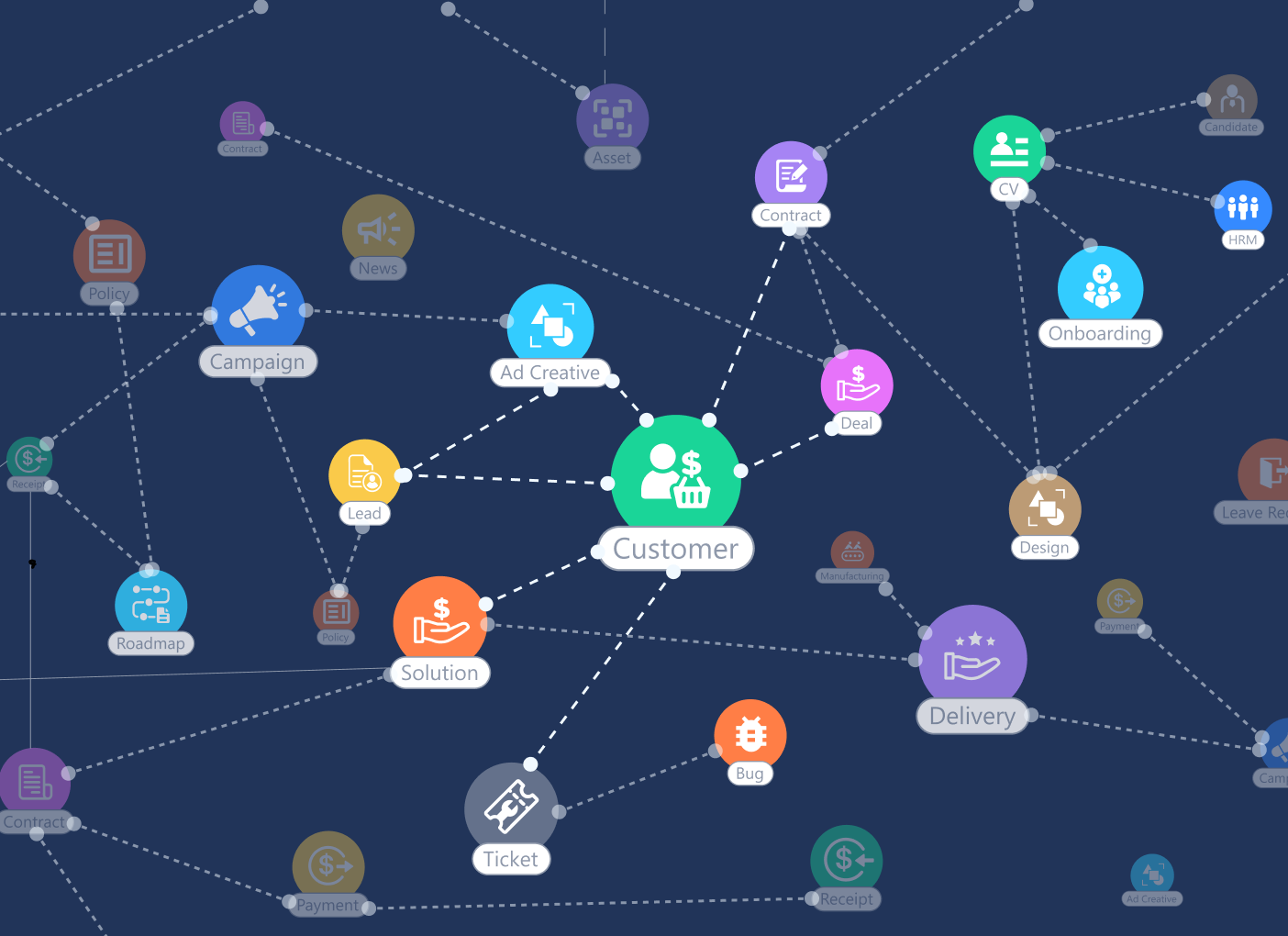 A **Global Connection** is a centrally managed, reusable relationship *type* that you define in `Global Admin`. It allows you to give a specific name, meaning, and direction to the connection between two `🧊 Objects`.
Think of it like grammar. An `Object Picker` is a noun pointing to another noun ("Task" → "Dependency"). A `Global Connection` adds the verb, creating a full sentence: "***`🧊 Task is blocked by 🧊 Dependency`***." This adds a rich layer of semantic meaning to your data.
### How Global Connections Work
The process is managed by an administrator, ensuring system-wide consistency:
1. **Define the Connection Type Globally:** In `Global Admin`, you create a new Connection Type. You give it a name (e.g., "Blocking") and define the forward and backward relationship text (e.g., "is blocked by" / "blocks").
2. **Define the Rules:** You can also specify which `Object Types` are allowed to use this connection. For example, the "Duplicates" connection might only be permitted between two `🧊 Bug Report` Objects.
3. **Use it on an Object:** Once defined, users with the right permissions can open an `Object` (e.g., a `🧊 Task`) and use the "Add Connection" feature to create a "Blocking" connection to another `🧊 Task`.
\[Guidejar Placeholder: A two-part tutorial. Part 1 shows an Admin in Global Admin creating a new Connection Type called 'Blocking'. They set the forward name to 'is blocked by' and the backward name to 'blocks'. Part 2 shows a user on a 'Task' Object using the 'Add Connection' feature to select the 'Blocking' type and reference another 'Task' Object.]
### The Strategic Advantage
For architects, Global Connections unlock a more advanced level of system design:
* **System-Wide Clarity:** Everyone uses the same vocabulary for relationships, eliminating ambiguity.
* **Advanced Reporting:** You can run powerful queries like, "Show me all `🧊 Tasks` that are currently blocked by an `IN_PROGRESS` `🧊 Task`" or "Find all `🧊 Bugs` that have more than three 'duplicates' connections."
* **Powerful Automation:** Automations can be triggered by the creation of a specific connection type. For example, "When a 'duplicates' connection is added to a bug, automatically change the status of the duplicated bug to `CLOSED`."
\[Image Placeholder: A graph visualization showing several Object icons connected by lines. Each line is labeled with the name of the Global Connection, like 'duplicates' or 'is blocked by', demonstrating a knowledge graph of work.]
## What's Next?
You have now mastered creating meaningful connections *between* different `🧊 Objects`. The final method of relationship modeling focuses on structuring data *within* a single `Object`.
* [**Learn about contained lists: Modeling with Data Tables**](/en/02-platform/platform-overview/object-connections/data-table-fields)
* [**Return to the Connections Overview**](/en/02-platform/platform-overview/object-connections)
A **Global Connection** is a centrally managed, reusable relationship *type* that you define in `Global Admin`. It allows you to give a specific name, meaning, and direction to the connection between two `🧊 Objects`.
Think of it like grammar. An `Object Picker` is a noun pointing to another noun ("Task" → "Dependency"). A `Global Connection` adds the verb, creating a full sentence: "***`🧊 Task is blocked by 🧊 Dependency`***." This adds a rich layer of semantic meaning to your data.
### How Global Connections Work
The process is managed by an administrator, ensuring system-wide consistency:
1. **Define the Connection Type Globally:** In `Global Admin`, you create a new Connection Type. You give it a name (e.g., "Blocking") and define the forward and backward relationship text (e.g., "is blocked by" / "blocks").
2. **Define the Rules:** You can also specify which `Object Types` are allowed to use this connection. For example, the "Duplicates" connection might only be permitted between two `🧊 Bug Report` Objects.
3. **Use it on an Object:** Once defined, users with the right permissions can open an `Object` (e.g., a `🧊 Task`) and use the "Add Connection" feature to create a "Blocking" connection to another `🧊 Task`.
\[Guidejar Placeholder: A two-part tutorial. Part 1 shows an Admin in Global Admin creating a new Connection Type called 'Blocking'. They set the forward name to 'is blocked by' and the backward name to 'blocks'. Part 2 shows a user on a 'Task' Object using the 'Add Connection' feature to select the 'Blocking' type and reference another 'Task' Object.]
### The Strategic Advantage
For architects, Global Connections unlock a more advanced level of system design:
* **System-Wide Clarity:** Everyone uses the same vocabulary for relationships, eliminating ambiguity.
* **Advanced Reporting:** You can run powerful queries like, "Show me all `🧊 Tasks` that are currently blocked by an `IN_PROGRESS` `🧊 Task`" or "Find all `🧊 Bugs` that have more than three 'duplicates' connections."
* **Powerful Automation:** Automations can be triggered by the creation of a specific connection type. For example, "When a 'duplicates' connection is added to a bug, automatically change the status of the duplicated bug to `CLOSED`."
\[Image Placeholder: A graph visualization showing several Object icons connected by lines. Each line is labeled with the name of the Global Connection, like 'duplicates' or 'is blocked by', demonstrating a knowledge graph of work.]
## What's Next?
You have now mastered creating meaningful connections *between* different `🧊 Objects`. The final method of relationship modeling focuses on structuring data *within* a single `Object`.
* [**Learn about contained lists: Modeling with Data Tables**](/en/02-platform/platform-overview/object-connections/data-table-fields)
* [**Return to the Connections Overview**](/en/02-platform/platform-overview/object-connections)