> ## Documentation Index
> Fetch the complete documentation index at: https://docs.luklak.com/llms.txt
> Use this file to discover all available pages before exploring further.
# The Luklak Glossary: A Guide to the Build & Ground Layers
> A comprehensive glossary of all key terms in the Luklak platform, organized by the two core architectural layers: the Build Layer and the Ground Layer.
Welcome to the official Luklak Glossary. This document is the single source of truth for all terminology used across the platform, organized by our unique two-layer architecture.
## Layer 1: The Build Layer
This layer contains all the components and concepts related to **constructing** your unique operational solutions. The process follows a logical 3-tier structure, from raw materials to a finished, live building.
### Tier 1: The Advanced Materials (Core LEGO Pieces)
These are the fundamental, intelligent "LEGO pieces" that you, the architect, assemble to create any business process.
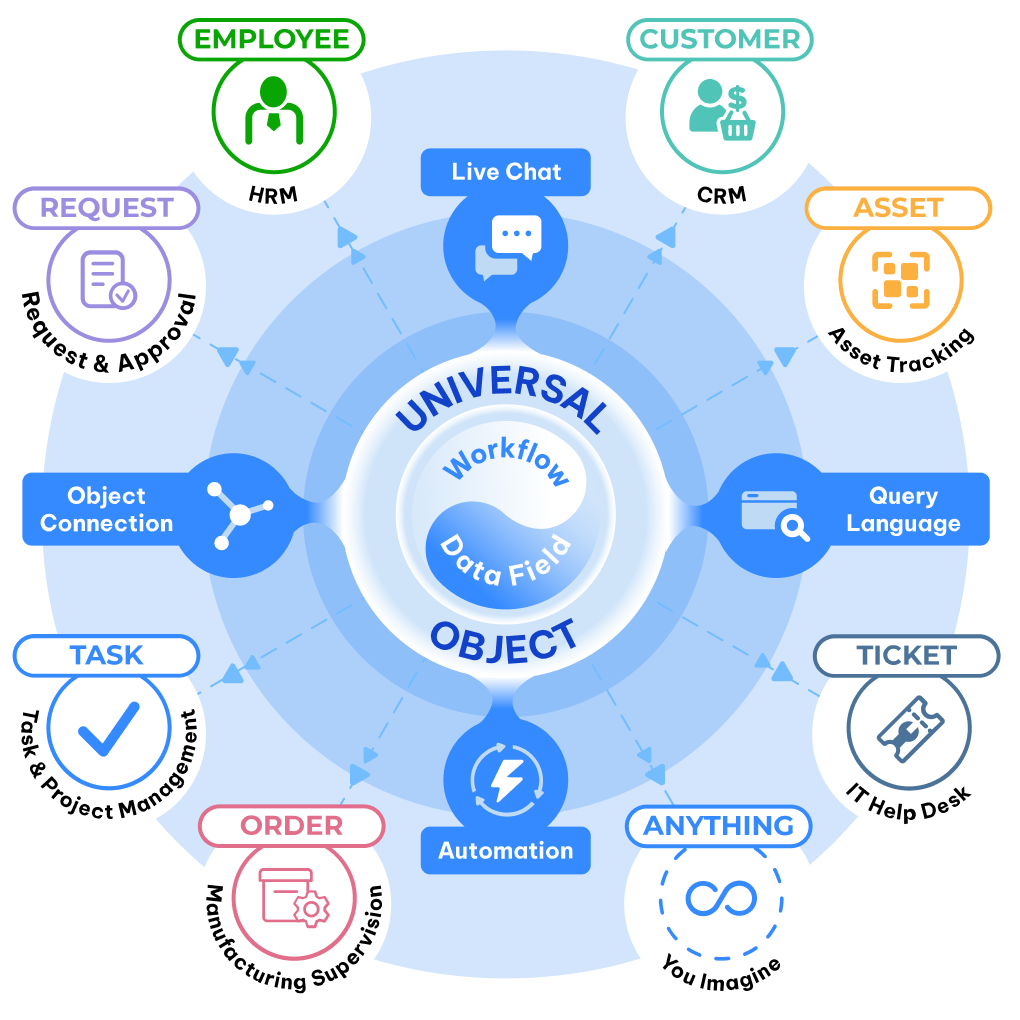 The DNA of your business. Define any entity—customers, projects, candidates, assets—to create one source of truth.
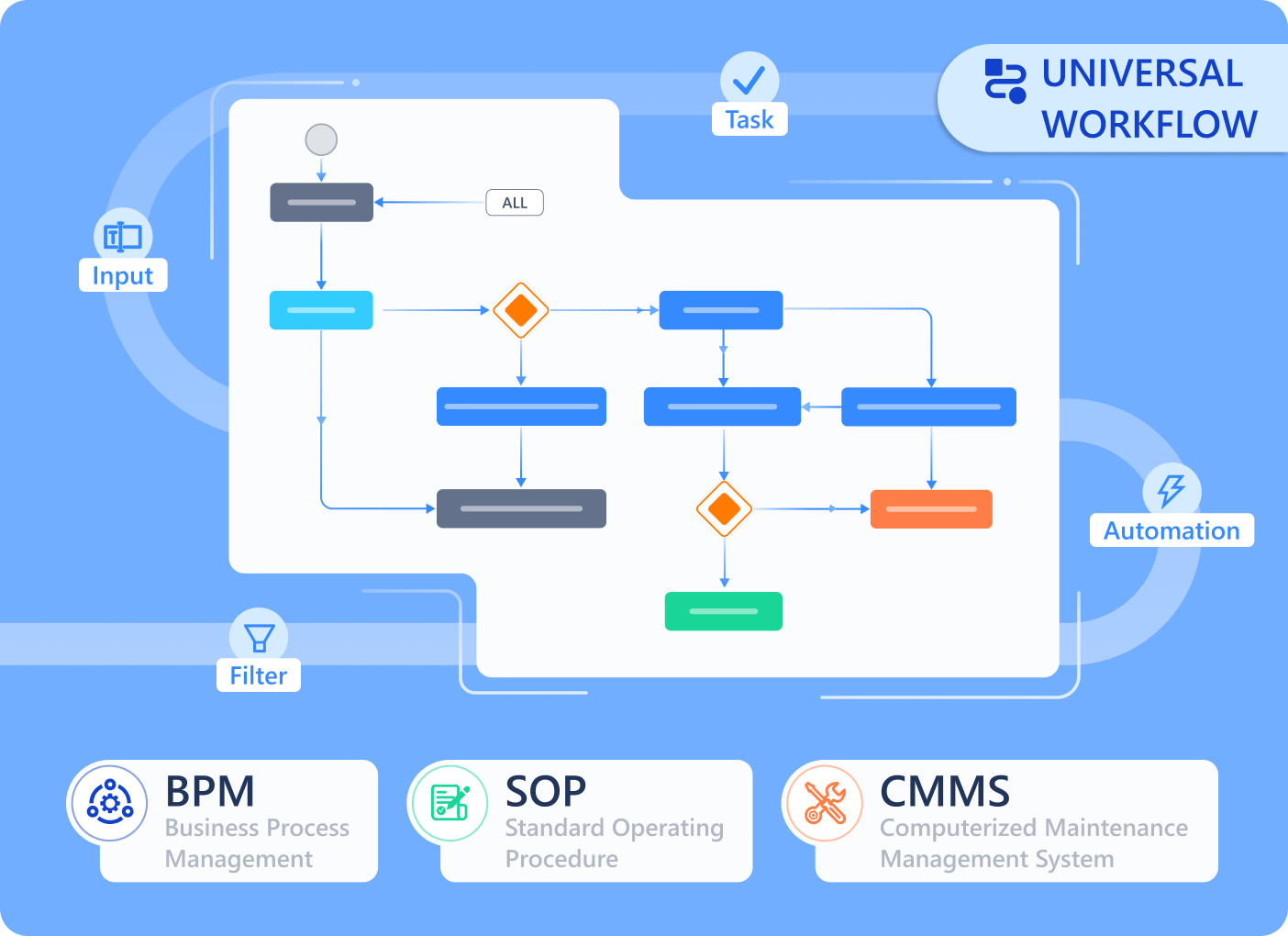 Standardize your operations with visual process maps. Define the exact stages for any task, from `IDEA` to `LAUNCH`.
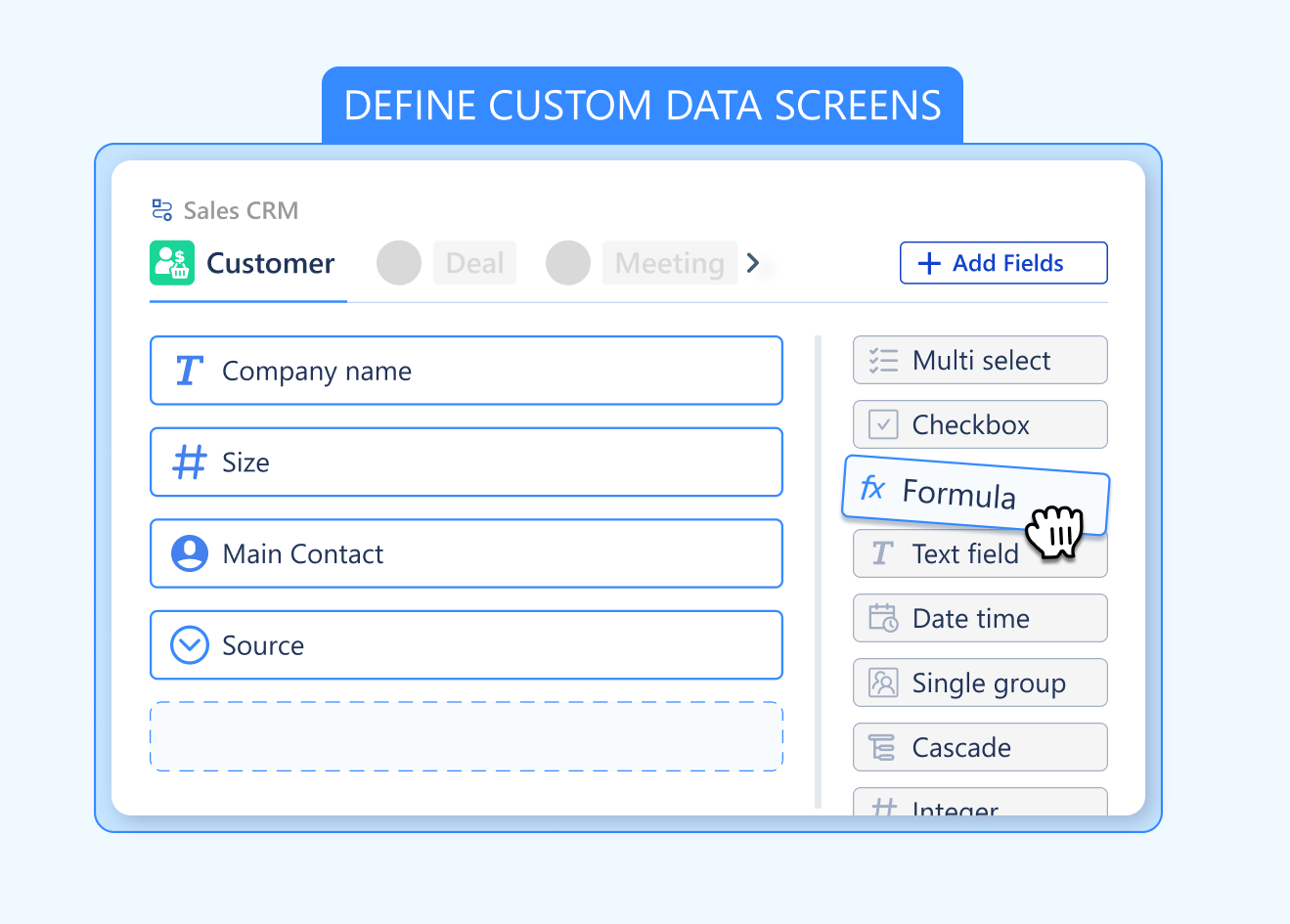 Capture the exact data you need for any business entity. Ensure data consistency for everything you track.
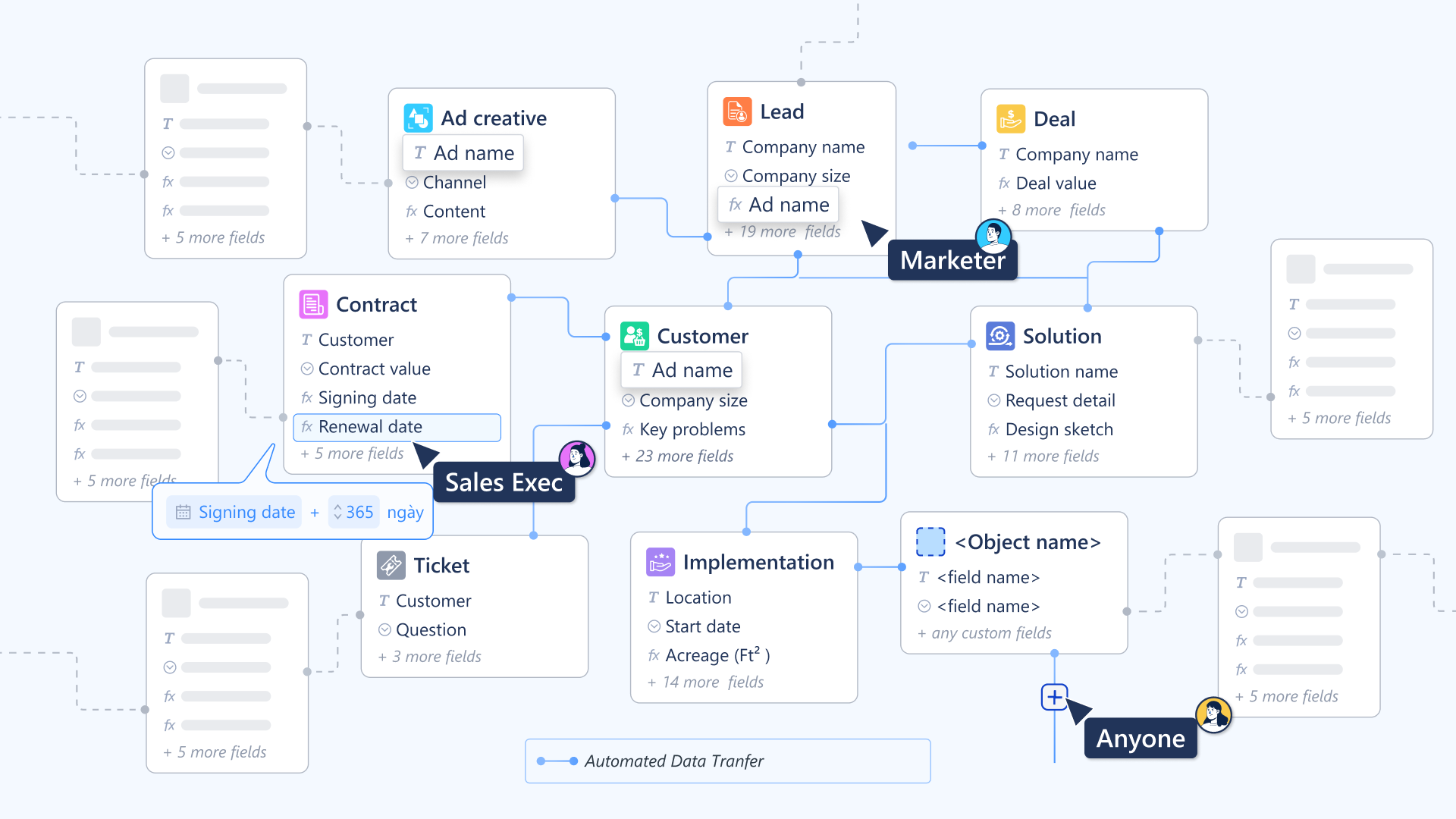 Your relationship map. Visualize how customers, projects, and support tickets are all interconnected in real-time.
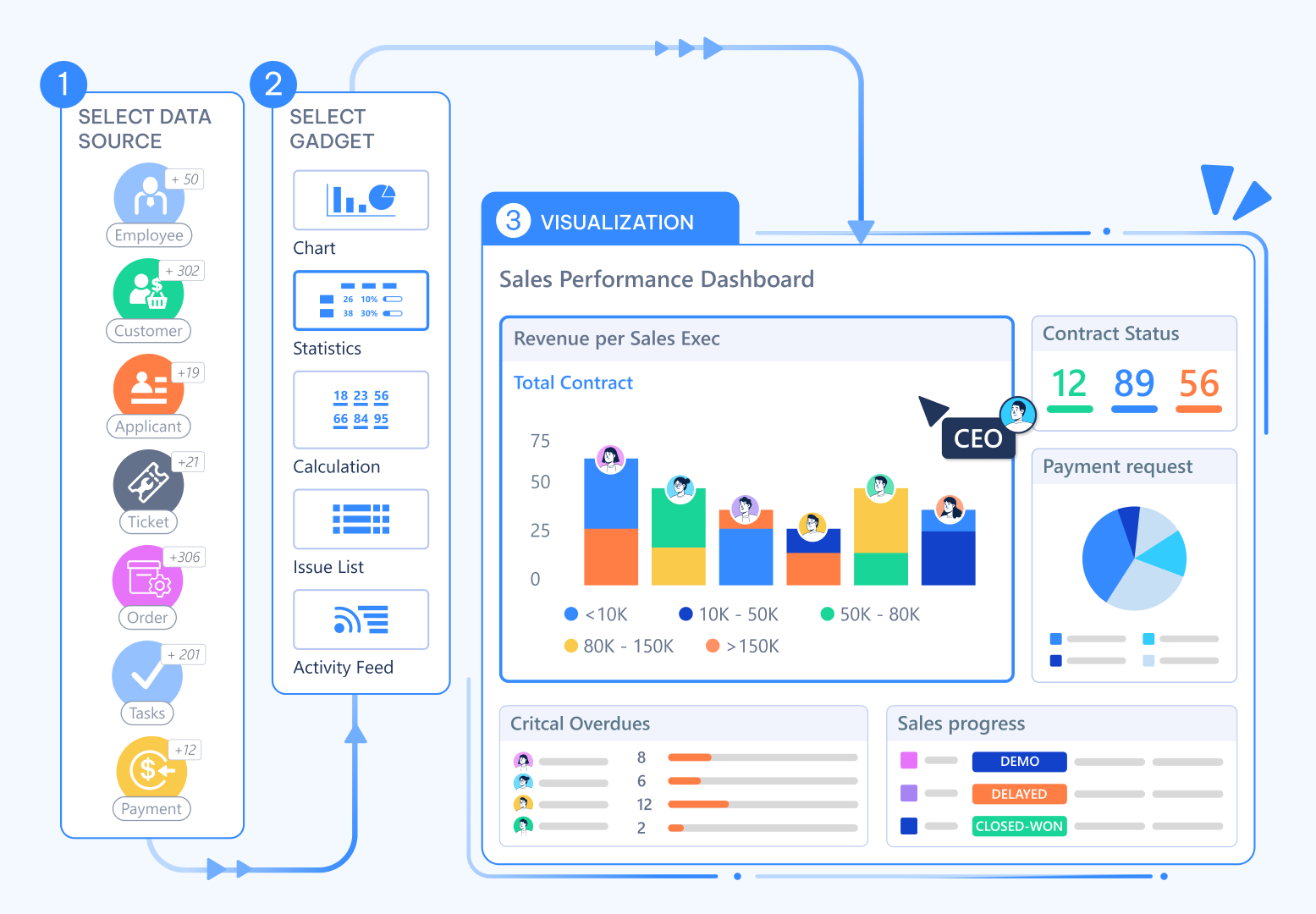 Your command center. Allow every team to see the same underlying data in the layout that best suits their work.
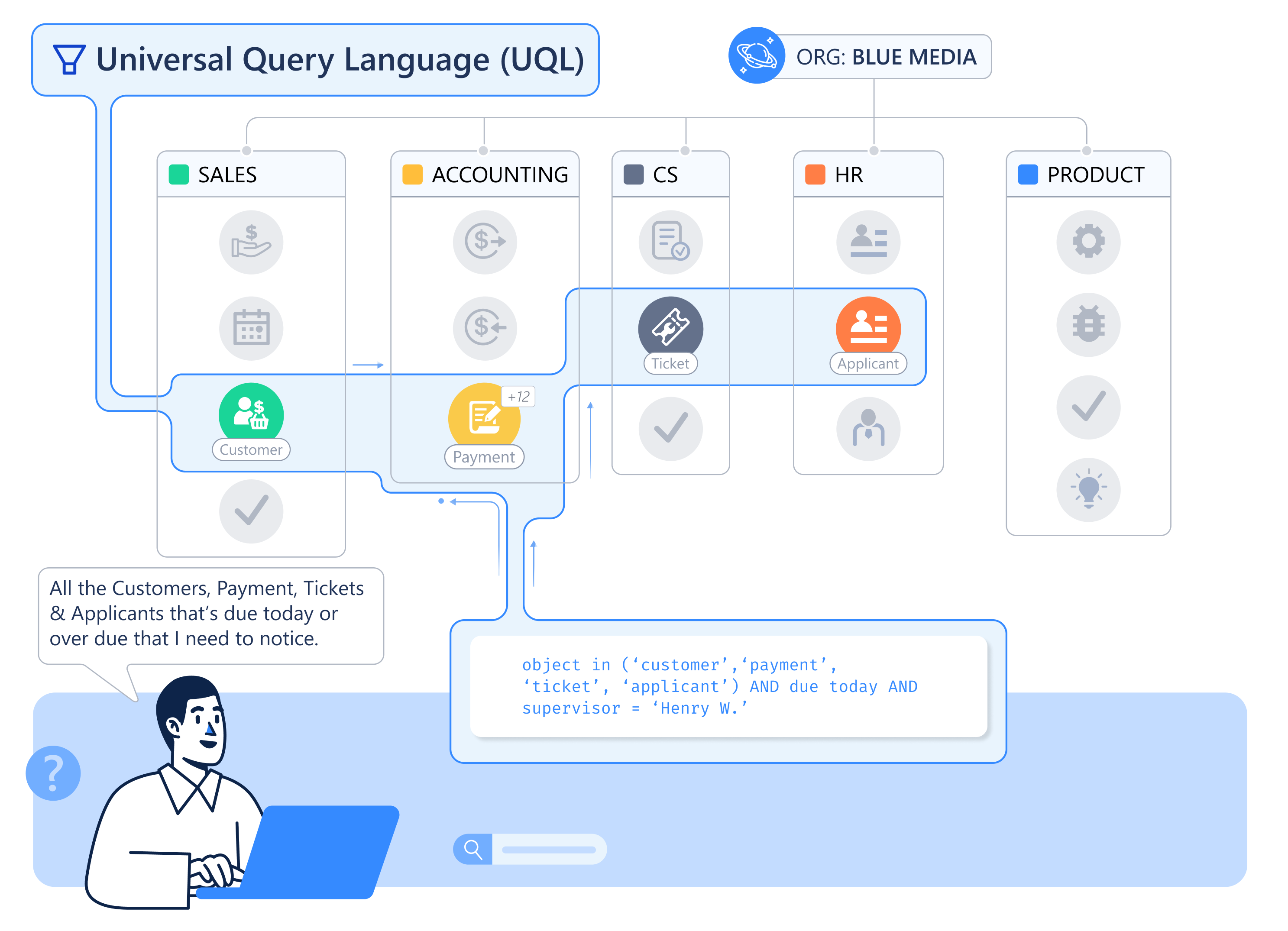 Your business brain. Ask complex, cross-functional questions in natural language and get answers instantly.
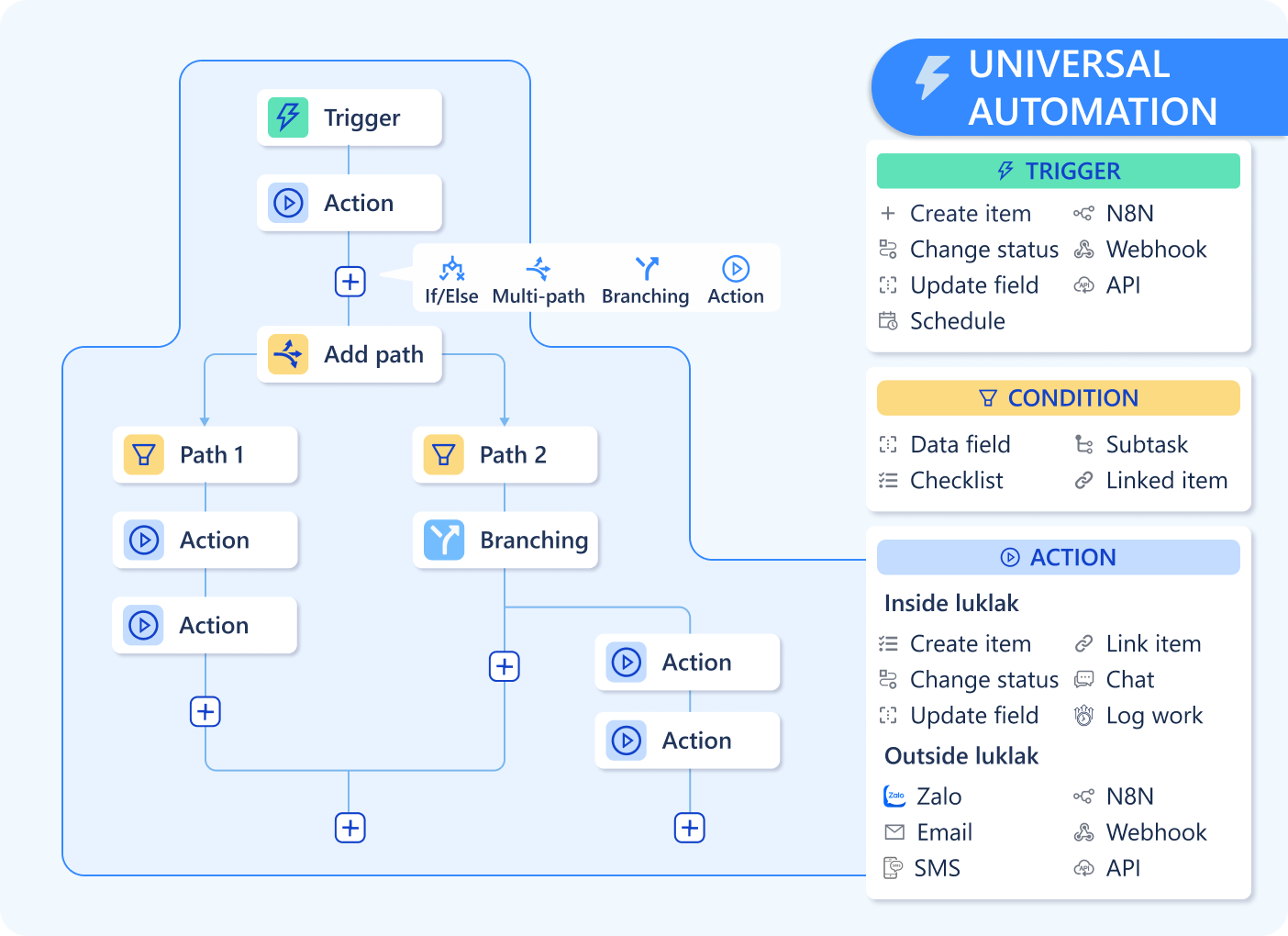 Your operational nervous system. Connect every process automatically, eliminating manual handoffs and friction.
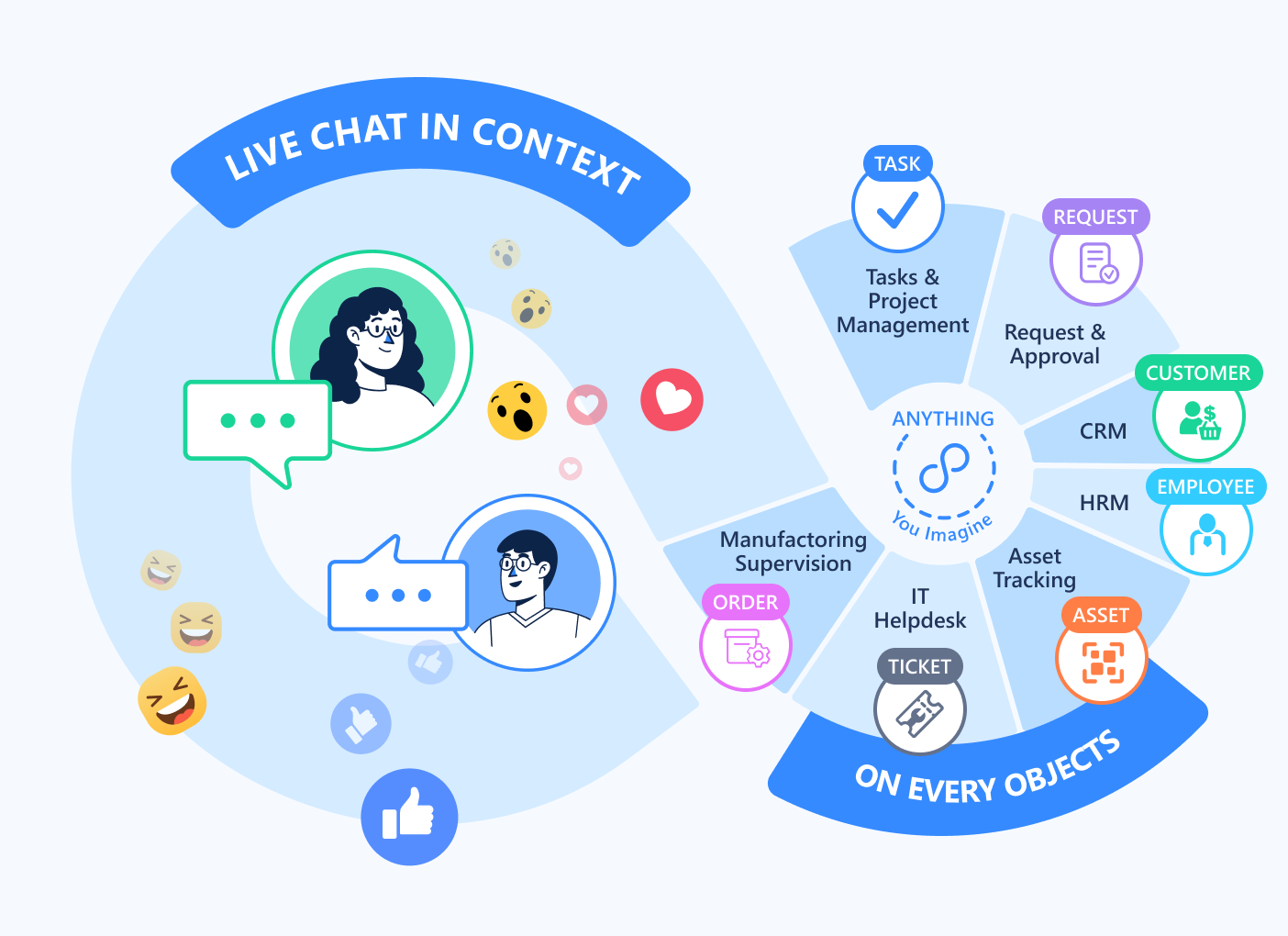 Your collaboration fabric. Keep all conversations in the context of the work itself, ending scattered communication.
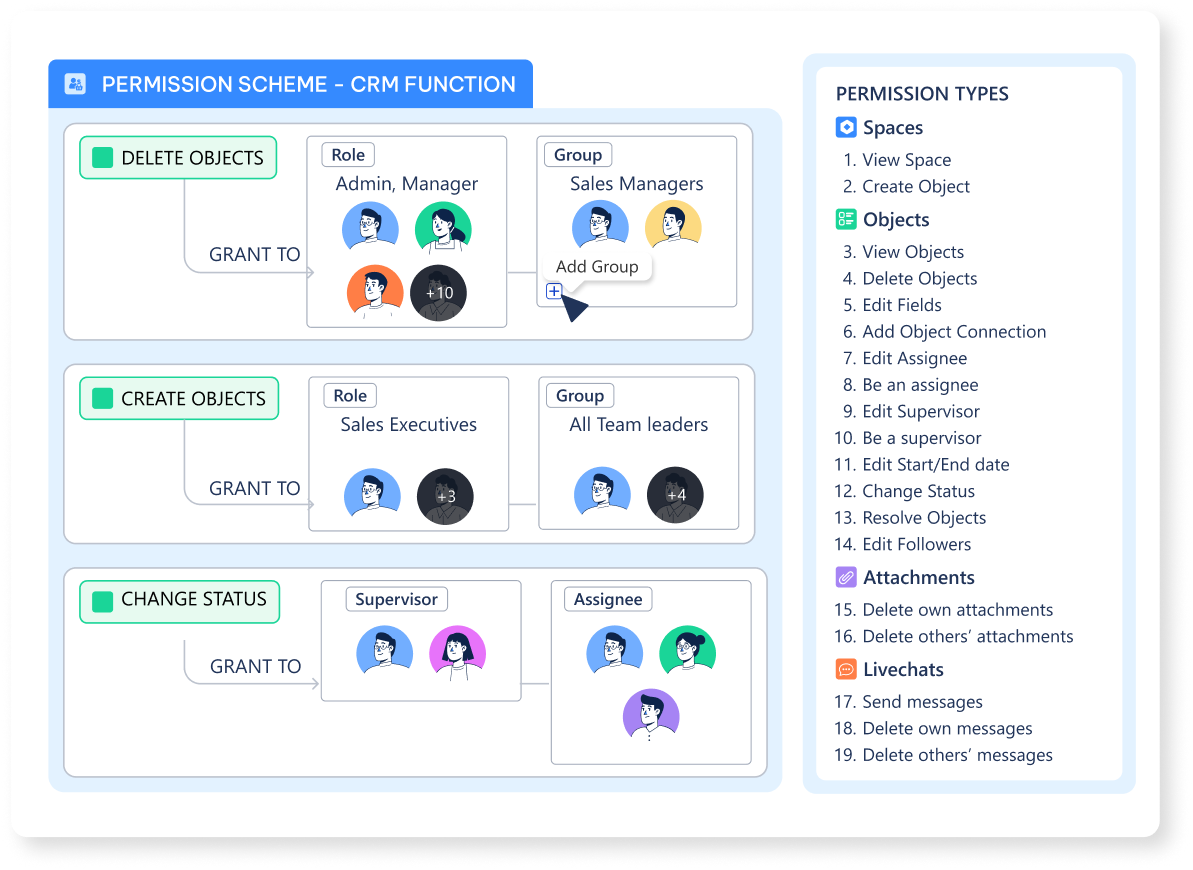 Your governance layer. Scale with confidence, knowing the right people always have the right access.
### Tier 2: The Blueprints (Functions)
This is where you act as the architect, assembling the raw materials into detailed plans.
A reusable, no-code **blueprint** for a complete business solution. It is a container that packages `Object Types`, `Workflows`, `Data Screens`, `Workviews`, `Automations`, `Roles`, and `Permission Schemes`.
### Tier 3: The Live Building (Usage & Operation)
This is the finished headquarters where daily work happens. Your blueprints become live, interactive environments.
A single, live **instance** of an `Object Type`. This is the actual work item (e.g., the specific "Q4 Sales Deal").
A specific step or stage in a `Workflow` (e.g., `IN PROGRESS`). Always written in `UPPERCASE`.
A container for grouping related `Spaces`, forming the high-level structure of your organization (e.g., "Sales Department").
A live, dedicated **workspace** created from a `Function`. This is where teams collaborate and work on `Objects`.
A **personal, customizable hub** for managers to pull in different `Spaces` and reports from across the organization.
An **automatic, personal dashboard** for every user, aggregating all their assigned `Objects` and notifications.
***
## Layer 2: The Ground Layer (The Land and The Law)
This layer contains all the components related to the **governance and security** that form the stable foundation for everything you build.
An account for an individual person who can sign in and perform work.
A non-human technical account used exclusively for running `Universal Automation` rules securely.
A collection of `User Accounts` (e.g., "Sales Team") used for efficient permission management.
A named definition of a user's function within a process (e.g., `Approver`). Used in `Permission Schemes`.
A user's system-wide authority level; their "entry ticket." The four levels are **Owner**, **Admin**, **App Manager**, and **Member**.
The granular permission system that controls who can access a specific "Item" (like a `Function` or `Dashboard`).
***
## Key Distinctions at a Glance
This table clarifies some of the most important and commonly confused concepts.
| We Say... | We Mean... | Not to be confused with... | The Core Difference |
| :----------------------- | :-------------------- | :------------------------- | :------------------------------------------------------------------------------------------------------------------ |
| **`📋 Function`** | The **Blueprint** | **`⏹️ Space`** | A Function is the design; a Space is the live workspace created from that design. |
| **`Object Type`** | The **Blueprint** | **`🧊 Object`** | An Object Type is the template (e.g., "Sales Deal"); an Object is the actual instance (e.g., "The Acme Corp Deal"). |
| **`Workview`** | The **Workshop** | **`Dashboard`** | A Workview is for *executing* work on individual Objects; a Dashboard is for *analyzing* aggregated data. |
| **`Workspace`** | The **Manager's Hub** | **`⏹️ Space`** | A Space is an official team workspace; a Workspace is a personal dashboard for a manager to *view* multiple Spaces. |
| **`Business Privilege`** | The **Entry Ticket** | **`Item Access`** | Privilege gets you into the system; Item Access gives you the keys to specific things *inside* the system. |
Your governance layer. Scale with confidence, knowing the right people always have the right access.
### Tier 2: The Blueprints (Functions)
This is where you act as the architect, assembling the raw materials into detailed plans.
A reusable, no-code **blueprint** for a complete business solution. It is a container that packages `Object Types`, `Workflows`, `Data Screens`, `Workviews`, `Automations`, `Roles`, and `Permission Schemes`.
### Tier 3: The Live Building (Usage & Operation)
This is the finished headquarters where daily work happens. Your blueprints become live, interactive environments.
A single, live **instance** of an `Object Type`. This is the actual work item (e.g., the specific "Q4 Sales Deal").
A specific step or stage in a `Workflow` (e.g., `IN PROGRESS`). Always written in `UPPERCASE`.
A container for grouping related `Spaces`, forming the high-level structure of your organization (e.g., "Sales Department").
A live, dedicated **workspace** created from a `Function`. This is where teams collaborate and work on `Objects`.
A **personal, customizable hub** for managers to pull in different `Spaces` and reports from across the organization.
An **automatic, personal dashboard** for every user, aggregating all their assigned `Objects` and notifications.
***
## Layer 2: The Ground Layer (The Land and The Law)
This layer contains all the components related to the **governance and security** that form the stable foundation for everything you build.
An account for an individual person who can sign in and perform work.
A non-human technical account used exclusively for running `Universal Automation` rules securely.
A collection of `User Accounts` (e.g., "Sales Team") used for efficient permission management.
A named definition of a user's function within a process (e.g., `Approver`). Used in `Permission Schemes`.
A user's system-wide authority level; their "entry ticket." The four levels are **Owner**, **Admin**, **App Manager**, and **Member**.
The granular permission system that controls who can access a specific "Item" (like a `Function` or `Dashboard`).
***
## Key Distinctions at a Glance
This table clarifies some of the most important and commonly confused concepts.
| We Say... | We Mean... | Not to be confused with... | The Core Difference |
| :----------------------- | :-------------------- | :------------------------- | :------------------------------------------------------------------------------------------------------------------ |
| **`📋 Function`** | The **Blueprint** | **`⏹️ Space`** | A Function is the design; a Space is the live workspace created from that design. |
| **`Object Type`** | The **Blueprint** | **`🧊 Object`** | An Object Type is the template (e.g., "Sales Deal"); an Object is the actual instance (e.g., "The Acme Corp Deal"). |
| **`Workview`** | The **Workshop** | **`Dashboard`** | A Workview is for *executing* work on individual Objects; a Dashboard is for *analyzing* aggregated data. |
| **`Workspace`** | The **Manager's Hub** | **`⏹️ Space`** | A Space is an official team workspace; a Workspace is a personal dashboard for a manager to *view* multiple Spaces. |
| **`Business Privilege`** | The **Entry Ticket** | **`Item Access`** | Privilege gets you into the system; Item Access gives you the keys to specific things *inside* the system. |